Using Pathway in clinic
The model does the explaining in the room. The guide lets the patient go over the same model at home, in the same order, with the same colours.
Open the model libraryModels ready to show in clinic
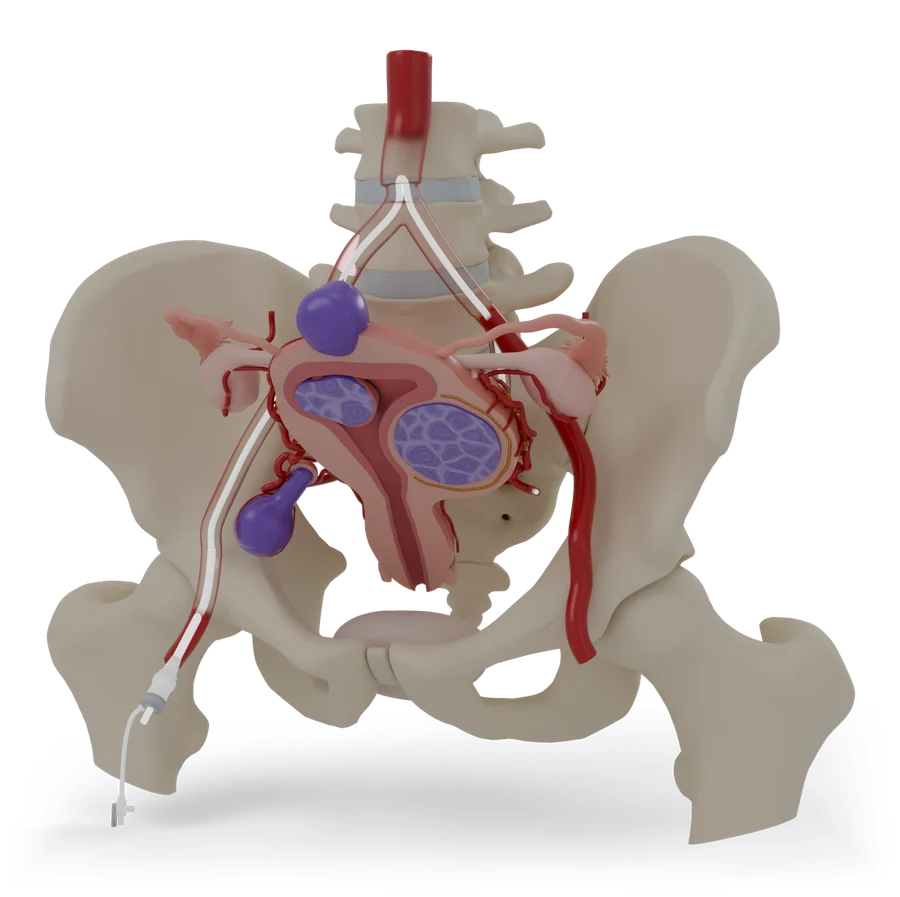 P-001, PelvisUterine fibroid embolizationShrinks fibroids by cutting off their blood supply, through a small opening at the groin or wrist.Open in clinic modeHandout
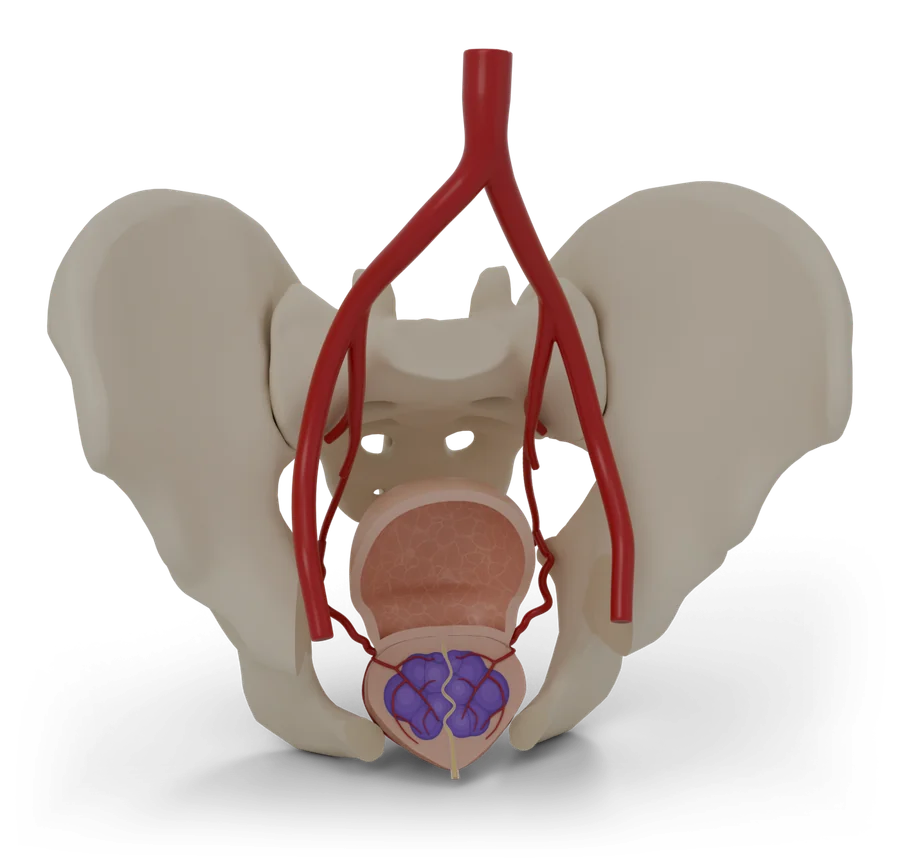 P-002, PelvisProstate artery embolizationEases an enlarged prostate by reducing its blood supply, through a tiny opening at the groin or wrist.Open in clinic modeHandout
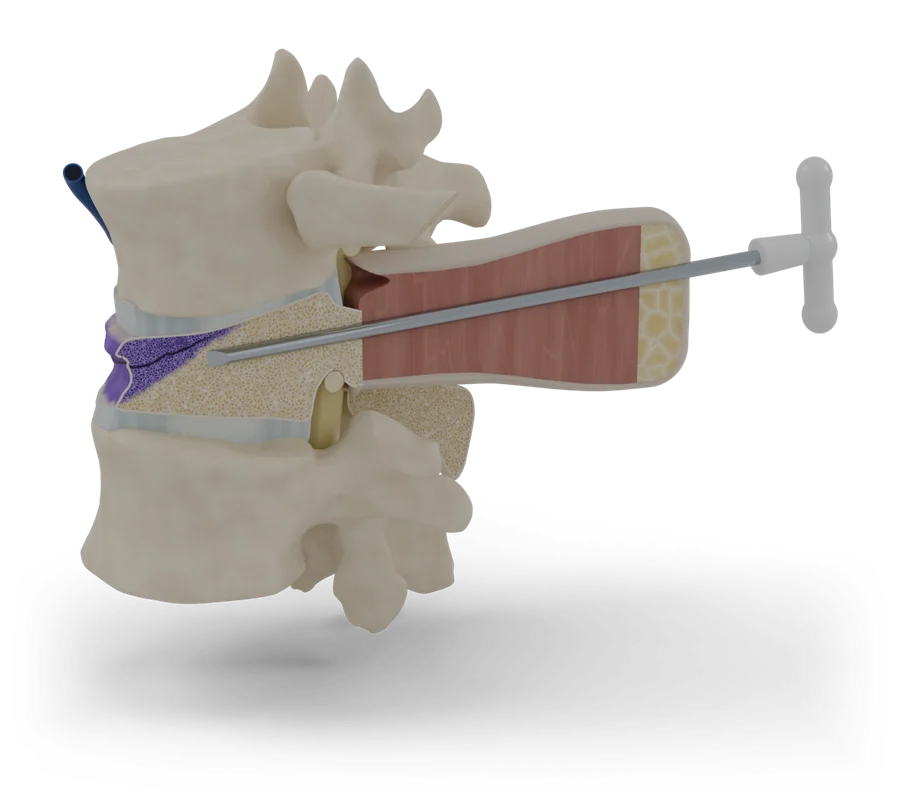 P-003, Back and spineVertebroplasty and kyphoplastyTreats a painful broken bone in the spine by filling it with medical bone cement through a needle.Open in clinic modeHandout
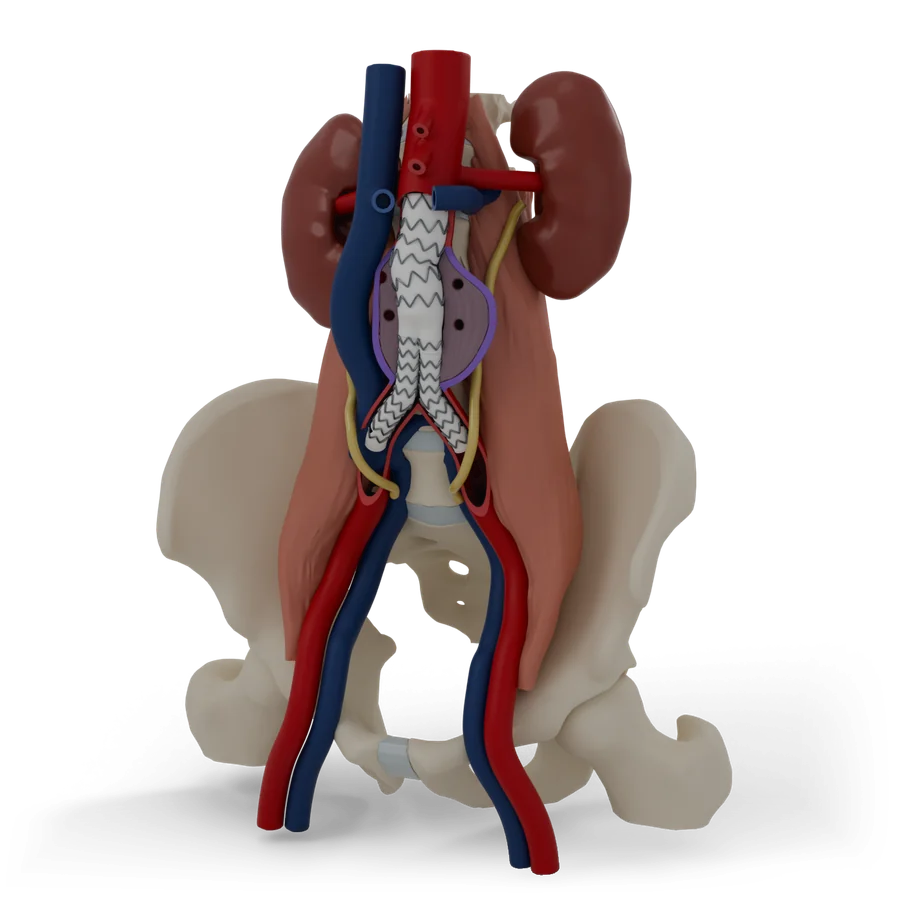 P-004, AbdomenEndovascular aneurysm repairFixes a bulge in the body’s main artery from the inside, through small openings at both groins.Open in clinic modeHandout
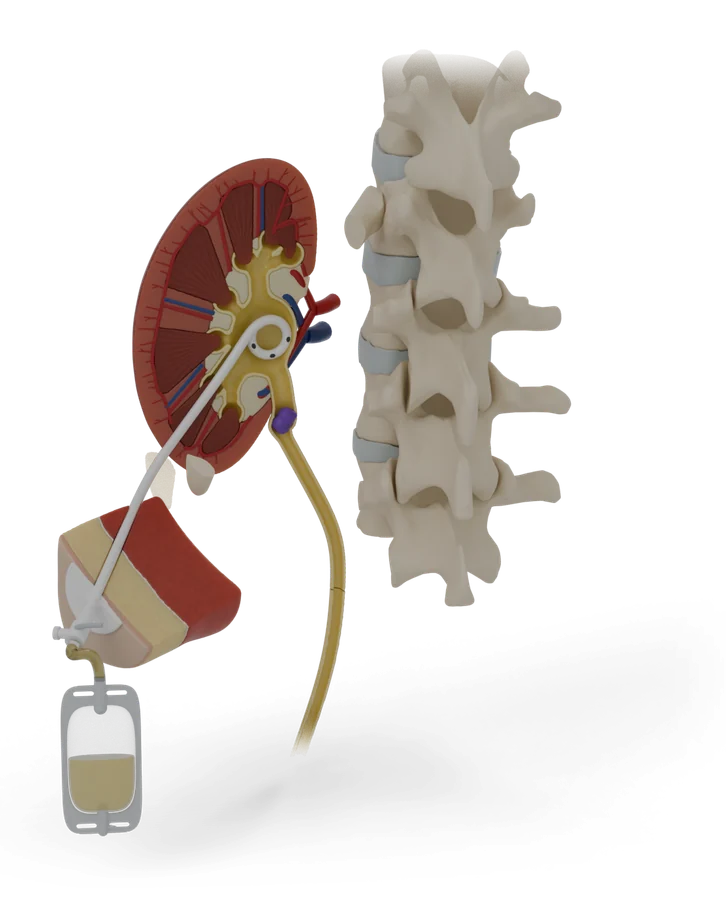 P-005, AbdomenNephrostomy tubeA thin tube through your back drains urine from a blocked kidney into a bag, to ease the pressure.Open in clinic modeHandout
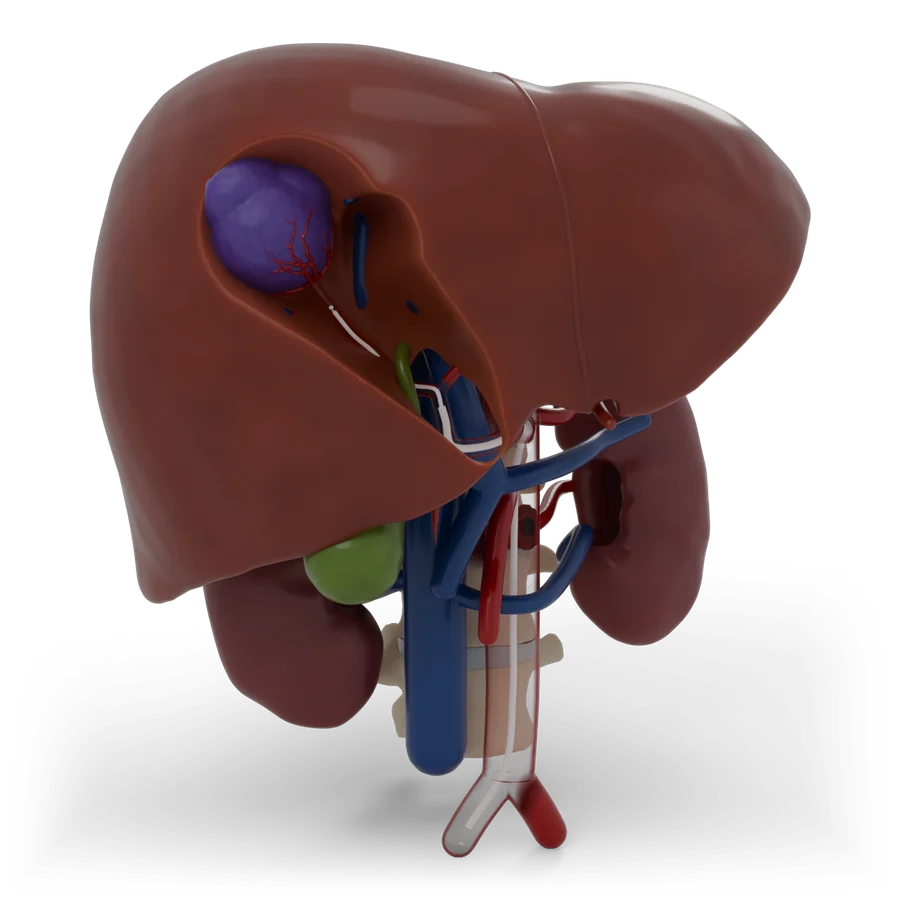 P-007, AbdomenChemoembolization of the liverPuts cancer medicine into a liver tumour and blocks the artery that feeds it, through the groin or wrist.Open in clinic modeHandout
In a short consult
Every model is built around the same five moments, so the conversation has the same shape whichever procedure it is.
Show where
Start with the whole model. Point to the problem: it is always the violet part, so patients learn to find it.
Trace the way in
Follow the route from the entry point, usually the groin, wrist, arm or skin over the target, to where the work is done.
Show what changes
Use the before and after view, or the device in place, to show what the procedure does.
Talk about risk calmly
Risks are explained in a plain list next to the benefits. On screen, the places risks come from appear only when the patient asks to see them, so the model does not look alarming at first glance.
Send them to the guide
Give the patient the guide’s address, or a link straight to the step they asked about. The guide ends with a list of questions for the next visit.
Send a patient to a step
Every step has its own address. QR codes for each step get printed once the site has its final address.
Uterine fibroid embolization12 steps
Open in clinic modePrint a one-page handout
- 1First, a quick look at the uterus and fibroids
- 2Where a fibroid grows changes what it does
- 3How UFE works: cut off the fibroids’ blood supply
- 4Before the day: scans, tests and a plan
- 5On the day: relaxed, numbed and looked after
- 6A small opening at the groin or wrist
- 7A thin tube travels to the uterus
- 8Tiny particles block the fibroids’ blood supply
- 9The tube comes out and the opening seals
- 10The first days: cramps are expected
- 11Six months later, the fibroids are smaller
- 12Risks, explained plainly
- +Your visit: before, the day and recovery
Prostate artery embolization12 steps
Open in clinic modePrint a one-page handout
- 1The prostate sits just under the bladder
- 2With age, the prostate often grows
- 3Small arteries feed the prostate
- 4Who PAE can help
- 5Before the day: a map of your arteries
- 6A tiny opening at the groin or wrist
- 7A thin tube travels to the prostate arteries
- 8Tiny beads slow the blood flow
- 9The tube comes out, and you rest
- 10The first days can be uncomfortable
- 11Over the next weeks, the prostate shrinks
- 12Risks, explained plainly
- +Your visit: before, the day and recovery
Vertebroplasty and kyphoplasty12 steps
Open in clinic modePrint a one-page handout
- 1Your spine is a stack of bones
- 2Weak bones can crack and squash down
- 3Bone cement works like a cast inside the bone
- 4It is for a new break that stays very painful
- 5Getting ready
- 6A hollow needle goes into the broken bone
- 7Kyphoplasty only: a balloon makes room
- 8Cement fills the bone
- 9The needle comes out
- 10Resting, then home
- 11How well it works, honestly
- 12Risks, explained plainly
- +Your visit: before, the day and recovery
Endovascular aneurysm repair12 steps
Open in clinic modePrint a one-page handout
- 1The aorta is your body’s main artery
- 2An aneurysm is a weak spot that bulges
- 3A large bulge can burst, so it is fixed first
- 4A stent graft lines the artery from the inside
- 5The graft comes in pieces that join inside you
- 6Getting ready: scans, tests and planning
- 7The way in is through both groins
- 8The main body opens just below the kidney arteries
- 9The second leg joins, and the seal is checked
- 10The tubes come out and the groins are closed
- 11The bulge is checked for the rest of your life
- 12Risks, explained plainly
- +Your visit: before, the day and recovery
Nephrostomy tube12 steps
Open in clinic modePrint a one-page handout
- 1Your kidneys make urine all day
- 2A blockage makes the kidney swell
- 3A tube gives the urine a way out
- 4What the model shows
- 5Getting ready
- 6You lie face down, awake and numb
- 7A thin needle goes into the kidney
- 8A wire guides the soft tube into place
- 9The tube is fixed to your skin and joined to a bag
- 10The kidney can drain again
- 11Living with the tube and bag
- 12Risks, explained plainly
- +Your visit: before, the day and recovery
PICC line12 steps
Open in clinic modePrint a one-page handout
- 1A PICC is a long, thin tube for medicine
- 2For treatment that lasts weeks, not days
- 3The line follows your veins to your heart
- 4What the line looks like
- 5Before you come in
- 6Ultrasound finds the vein, then your arm is numbed
- 7The line is guided up to your chest
- 8The tip is checked, then the line is secured
- 9Keep it clean, dry and covered
- 10Use your arm, but gently
- 11When treatment ends, it slides out
- 12Risks, explained plainly
- +Your visit: before, the day and recovery
Chemoembolization of the liver12 steps
Open in clinic modePrint a one-page handout
- 1Your liver sits under your right ribs
- 2Cancer that starts in the liver, or spreads to it
- 3The liver has two blood supplies. The tumour mostly uses one.
- 4Medicine, then a block, aimed at the tumour
- 5What the team puts in
- 6Getting ready
- 7In through the groin or the wrist
- 8Finding the tumour’s artery
- 9Giving the treatment
- 10Finishing up
- 11Feeling unwell for a while is common
- 12Risks, explained plainly
- +Your visit: before, the day and recovery
Biliary drain12 steps
Open in clinic modePrint a one-page handout
- 1Your liver makes bile, and small tubes carry it to your bowel
- 2A stone, a narrowing or a tumour can block the duct
- 3Trapped bile turns your skin and eyes yellow
- 4A tube gives the bile a way out
- 5What the drain and bag look like
- 6Before you come in
- 7Relaxed and numbed, a thin needle finds a bile duct
- 8A wire guides the drain past the blockage
- 9The drain is fixed to your skin and joined to a bag
- 10Check, flush, empty and write it down
- 11Capping, tube changes, and maybe a stent
- 12Risks, explained plainly
- +Your visit: before, the day and recovery
Varicose vein treatment12 steps
Open in clinic modePrint a one-page handout
- 1Your leg veins push blood uphill
- 2When valves leak, veins stretch and bulge
- 3Aching, swelling and skin changes
- 4Closing the leaky vein from the inside
- 5A thin tube that brings the heat
- 6Before you come in
- 7Numbing, then a tiny opening near the knee
- 8A cushion of numbing fluid
- 9The vein is sealed as the tube comes out
- 10A small bandage, a stocking, and a walk
- 11Walk every day, and let the vein fade
- 12Risks, explained plainly
- +Your visit: before, the day and recovery
How content is reviewed
Guides are drafted with AI writing tools from the listed sources, then fact-checked against those sources by a separate AI check that logs every change. The interventional radiology team will review and sign off every guide before patients use it. The date of that review will show on every guide, and any later clinical change will need a new sign-off.
DraftCurrent status: every guide is a draft, not yet clinically reviewed.